Nowadays many patients come to us with a ChatGPT diagnosis. I won’t say that is bad, because even I use LLMs quite often in my daily life. So this is not a post telling you to stop. It is about what these tools do well, where they mislead you, and how to set them up so they work for you.
Where a general LLM helps
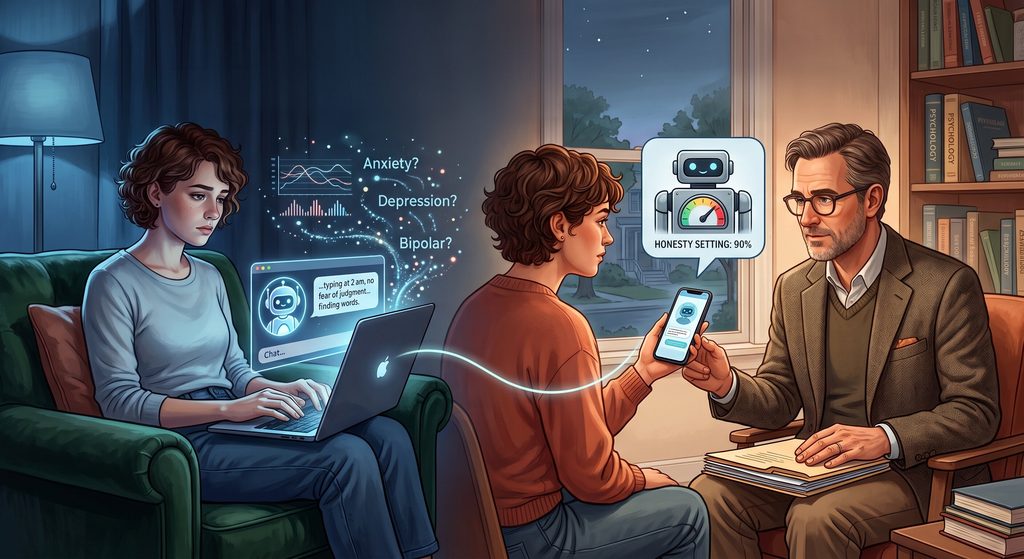
The biggest help is in finding words. Many people know something is wrong for years but cannot describe it. Typing it out to a chatbot at 2 am, with no fear of judgment and no appointment needed, is often the first time the experience gets organised into a story.
It is also a patient teacher. It will explain what a term on your prescription means, what a medicine is generally used for, and what the common side effects are, as many times as you ask and at whatever level you want. Most of us cannot do that in a busy OPD.
It is also good at preparation. Ask it to turn your scattered history into a one-page timeline and a list of questions for your doctor, and your consultation becomes far more useful. It can help your family understand what you are going through, and it can help you practice skills like a thought record or a sleep routine between sessions.
Where it falls short
Because we have seen patients over many years, we read the output of an LLM differently from how you read it. To me it is a hypothesis. To you it can feel like a verdict.
First, it only knows what you type. A large part of psychiatric assessment is what you do not say: how you speak, what you skip, and what your family noticed that you did not. In some conditions the awareness of being unwell is the very thing that is affected, and the chatbot gets the edited version.
Second, symptoms are not diagnoses. Poor concentration, mood swings, and feeling empty or restless fit a dozen conditions as well as ordinary life experience. What separates them is duration, course, impairment, what else is going on in your body, and how common each condition actually is. A checklist match is where the diagnostic work starts, and the LLM often stops there.
Third, it is built to be agreeable. If you ask “could this be ADHD?”, it will find reasons why it could. It follows your framing and rarely contradicts you, and that tendency is how it ends up at the wrong diagnosis.
Fourth, it can be confidently wrong, and the answer can change when you reword the question. That may be tolerable for general information. For doses, drug interactions, or stopping a medicine, it is not.
Finally, for some people the tool becomes part of the problem. If you have anxiety or OCD, asking the same question again and again for reassurance feeds the cycle. If you are prone to unusual beliefs, a machine that elaborates on whatever you bring is not your friend. And it is not a crisis service.
How to make it work for you

Remember TARS from Interstellar? The robot had an honesty setting that the crew could adjust. An LLM is similar. Unless you tell it otherwise, it will mostly give you the answer you want to hear.
I have set instructions for Claude to be brutally honest with me. Some of its responses make me pause, because no one, not even my close friends, would say those things to me for fear of hurting me. You can do the same in the custom instructions or settings of whichever tool you use.
Something like:
” Do not just agree with me. Point out where I may be wrong, what I am leaving out, and what else could explain this. Tell me what would argue against my own conclusion. “
A few more habits help. Ask it what else your symptoms could be and what a psychiatrist would want to rule out, instead of asking what you have. Give it the full picture, including sleep, alcohol and other substances, medical problems, and the details that do not fit your theory. Ask it what questions a doctor is likely to ask you, and bring the summary to your appointment. I would much rather read it than have you hide it.
There are two cautions. An honest tone is not the same as a correct answer, because a blunt LLM can still be wrong. And TARS was set at 90 percent, not 100, because complete honesty is not always the safest thing for emotional beings. If you are in a fragile phase, brutal honesty from a machine in the middle of the night is not what you need. Lower the setting, or better, talk to a person.
Do not start, stop or change a medicine on its advice. And think twice before typing your name and other identifying details into it.
Use it like a well-read friend who has never met you, and remember that it cannot examine you or take responsibility for what happens to you.